Blank Supplement Facts Label Template
Last updated · Written by the Supplement Facts Label Maker editorial team from FDA regulations (21 CFR 101.9, 101.36) and the FDA Dietary Supplement Labeling Guide.
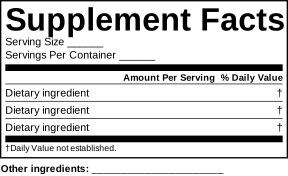
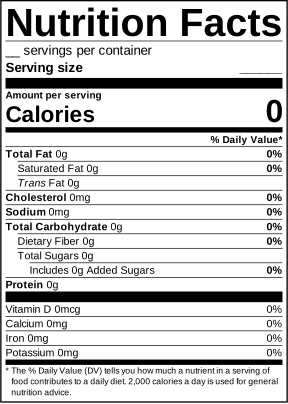
Download a free blank Supplement Facts label template to sketch your panel or brief a designer. A faster route: fill in the online Supplement Facts label maker, which calculates %DV and adds the footnotes so you don’t have to edit a template by hand.
Free downloads
How to fill in the template
- Write the Serving Size the way a customer measures it (e.g. “2 Softgels”).
- List vitamins and minerals in FDA order with amount, unit and %DV (amount ÷ Daily Value × 100, rounded to a whole number).
- Under the bar, list other dietary ingredients with “†”, including the plant part for botanicals.
- Add proprietary blends with their total weight and components, heaviest first.
- Keep the footnotes that apply, then add “Other ingredients” and the “Contains:” allergen line below.
Prefer not to do the maths? The free label maker does steps 2–5 automatically and exports a PNG; Premium exports vector SVG and an exact-size PDF for your printer.
Frequently asked questions
Can I use this template for my product?
Yes, the blank templates are free to download and edit. Make sure the final panel contains your actual ingredients, amounts and %DVs, and is reviewed before printing.
What size should a Supplement Facts label be?
There is no single required size. The panel must fit the information at legible type sizes (generally at least 8 point). Common widths are 2 to 3.5 inches on bottles. The online tool lets you pick 2, 2.5, 3, 3.5 or 4 inches.
Why not just edit a template in Canva or Illustrator?
You can, but templates don’t calculate %DV, round values, reorder nutrients or add the correct footnotes. That’s where most label errors come from. The label maker does those steps for you.